



















Lynqa follows the paths, you validate the results.


Execute your tests with agentic AI on your application
Lynqa is an AI agent that executes your test and gives you step-by-step reports and evidence.
No scripts to create or maintain. No rewriting.

no card required

10 free credits

ready in <5 min







How Lynqa works
Lynqa has a dedicated app for running your tests, regardless of the test management tool you use.
If you are an Xray, XQual, or SquashTM user, please visit this page.
1
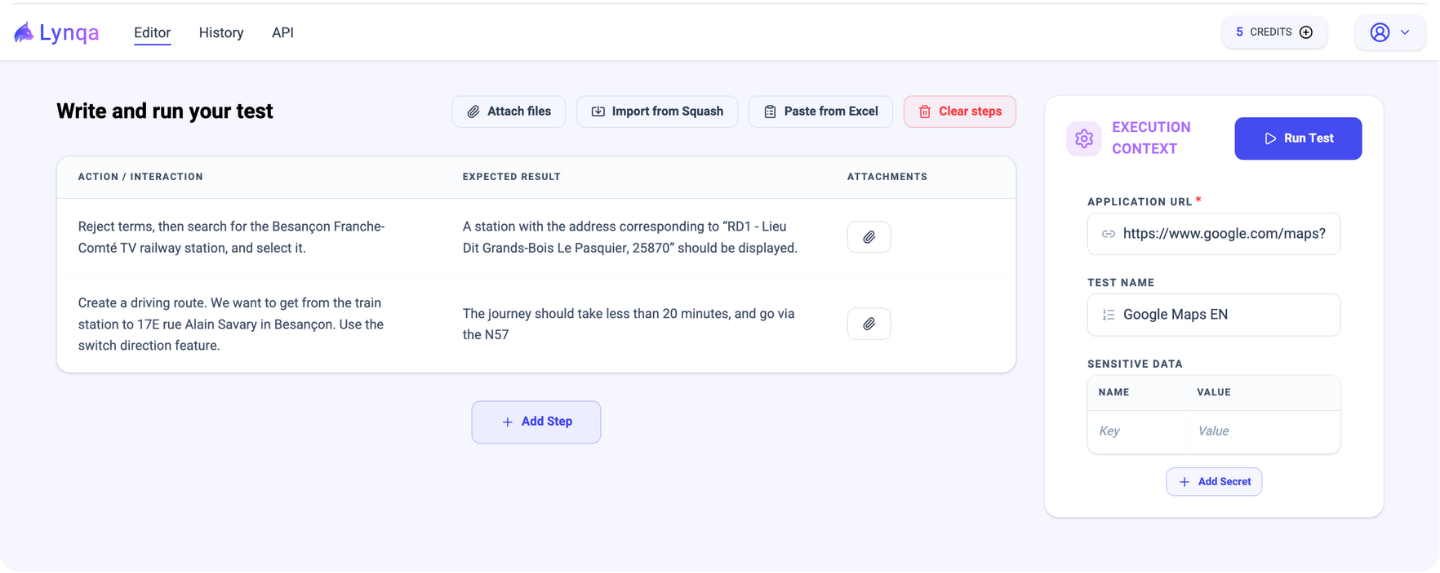
Start a Lynqa execution session
Copy and past your test in natural language (no rewriting needed) or write it directly in the fields, then start the execution.
2
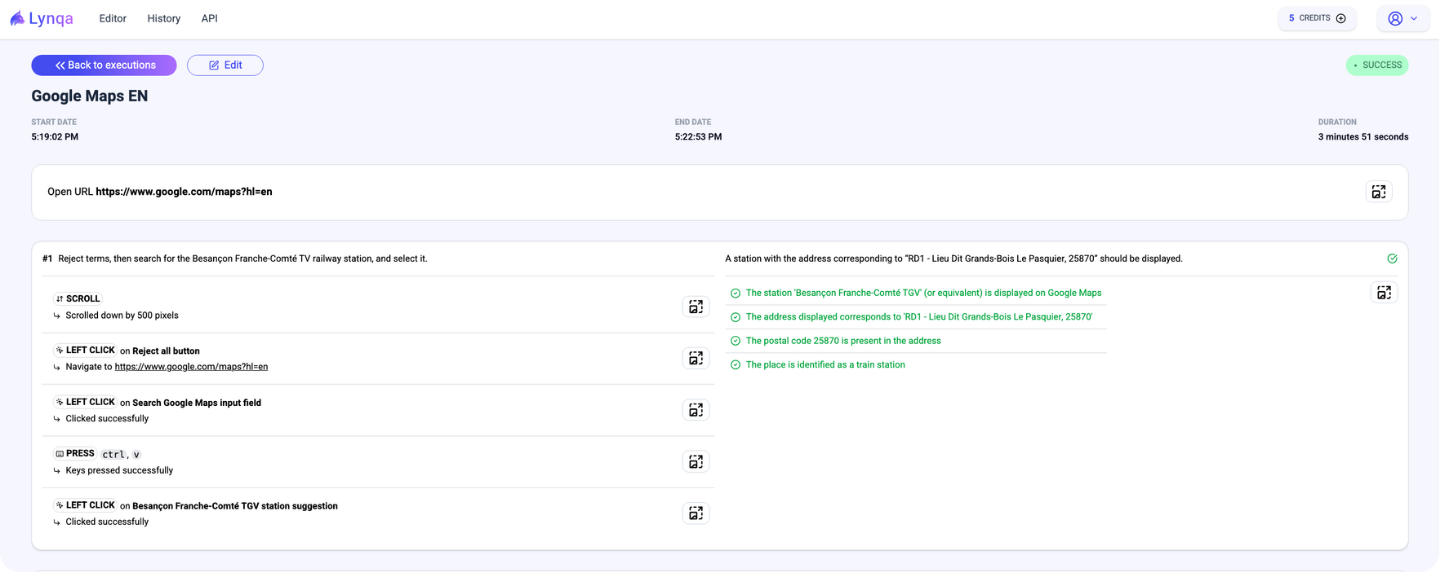
Step by step reporting captured
Reports and evidence (screenshots) are available to help you verify, understand, and track each step of the execution.
No need to rewrite your existing tests
Copy and paste your test steps directly.
Why choose Lynqa?
You can try Lynqa immediately without a test management tool: execute your tests with no setup required.

Parallel execution to scale test runs

Execute your tests exactly as they are

Cut manual testing costs to as low as €0.89/test
 ROI Calculator
Calculate the potential of your test automation
With just a few clicks, view the return on investment for your automation project and identify productivity gains for your QA teams.
Built for Control, Coverage, and Trust

Human validation

Web apps covered
Mobile and desktop applications coming soon.

Security
Lynqa has successfully completed its SOC 2 Type II audit for the Cloud edition of its platform, addressing the Security trust services criterion.
Xray, XQual, or SquashTM user?
Integrate Lynqa with your existing tools for a seamless experience.


We Answer Your Questions
How can I use Lynqa?
Lynqa can be used in several ways, depending on your setup:
With your test management tool (recommended)
- Jira Cloud / Xray users
Use the Lynqa for Jira app. It retrieves your Xray manual or Gherkin tests, executes them automatically, and synchronizes detailed, step-by-step reports back to Xray. - XQual users
Contact XQual to enable the Lynqa add-on (integration developed by a partner). You can run your XQual tests automatically with Lynqa, and results are synchronized back to XQual. - Other tools
Additional native integrations are coming soon. You can also use the Lynqa API for custom integrations.
A My Lynqa account is required in all cases to:
- Manage API keys
- Purchase credits
With My Lynqa (standalone platform)
Write or paste your manual tests in natural language, execute them directly from the platform, and review results without synchronization to a test management tool.
Via API (custom integration)
Integrate Lynqa into your own tools or workflows. Contact us to learn more.
What are the prerequisites to run Lynqa?
- A My Lynqa account with credits available to run tests (you get 10 free credits when you create your account)
Operational prerequisites:
- The target application must be reachable from Lynqa’s execution environment (public URL by default, or private access with the right setup: contact us in this case)
Test quality expectations:
- Keep steps clear and actionable, with expected results that can be checked. They should not rely on implicit domain knowledge or assumptions.
What kind of applications does Lynqa support today?
Today, Lynqa supports system/functional testing for web applications.
Mobile and desktop app coverage coming soon.
Who validates the results?
Your team does. Lynqa executes and collects proof; testers keep the final word. That’s intentional: execution is automated, but quality ownership remains in human hands.
How can I try Lynqa?
If you are not an Xray user, you can use our Lynqa standalone platform. You get 10 free credits to try on your own test cases.

Our latest Lynqa resources
Discover our latest blog posts and webinars about Lynqa, made for you, software quality professionals!
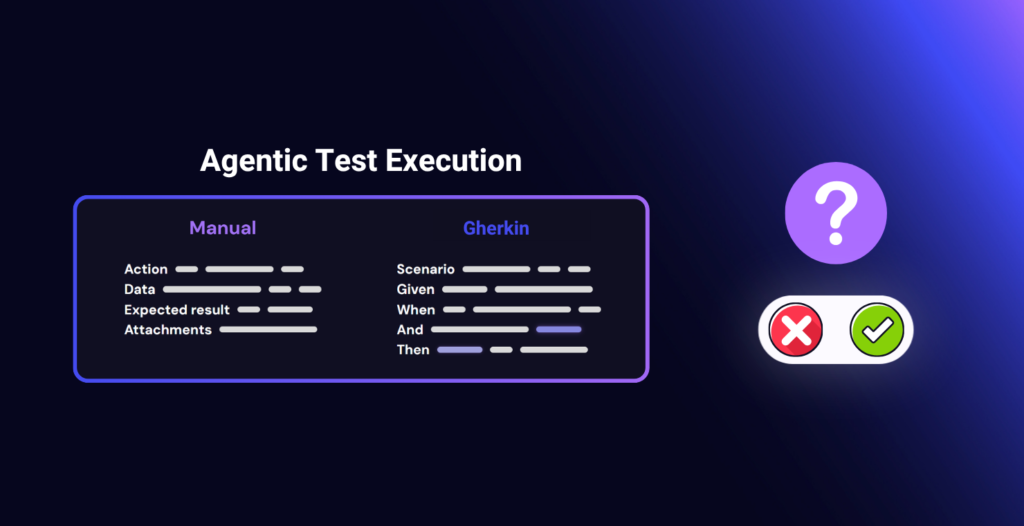
Agentic Execution of Manual and Gherkin Tests: Questions to Ask Before You Start
AI Lynqa
Test execution remains a pain point for many QA teams. Manual test cycles take up a lot…
Read the article
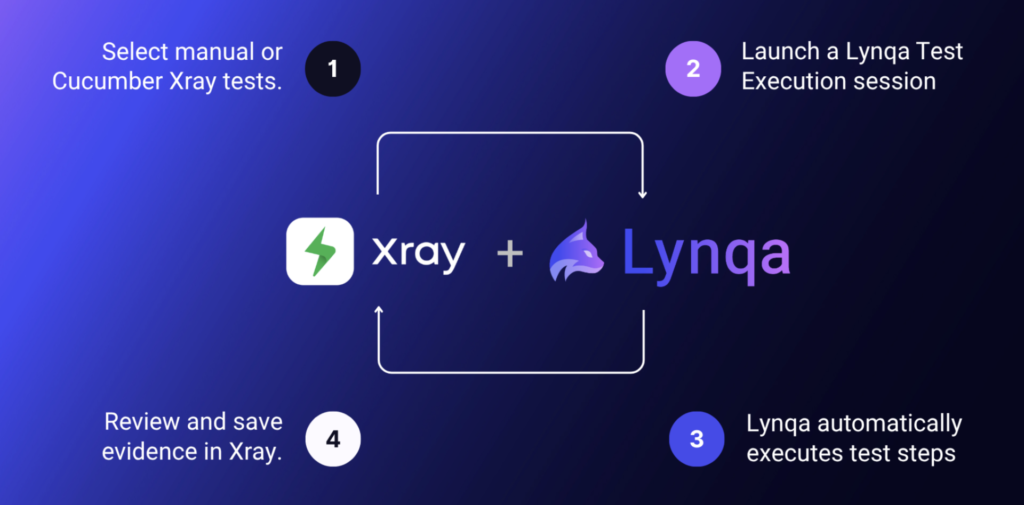
Agentic AI Test Execution inside Jira with Xray and Lynqa
AI Lynqa
AI is transforming every stage of software testing, from requirement analysis to how teams design test cases,…
Read the article
Can We Trust an AI Agent to Execute Tests?
AI Lynqa
The three pillars of trustworthy agentic AI test execution in Xray: measurable reliability, human control, and transparent…
Read the article