



















Lynqa for Xray Is Officially Out of Beta: Go for Agentic AI Test Execution
AI
Lynqa
Lynqa for Xray is an AI agent for manual test execution. It retrieves manual or Gherkin tests from Xray, executes them on the application UI, captures step-by-step evidence in Xray, and lets teams keep working from the tools they already use.
Today, Lynqa for Xray is officially out of beta and available as a full product.
- Using Xray? Start with Lynqa for Xray and get 10 free credits to run your own tests. ➡️ More information
- Not using Xray? Lynqa also works with Xqual and Squash TM, and you can even try it without any test management tool. ➡️ More information
What Lynqa for Xray does
Lynqa executes Xray tests with AI without rewriting test cases, building scripts, or starting a separate automation project.
That is the core value of Lynqa for Xray:
- it uses the test cases you already have in Xray,
- it executes them directly on the application interface,
- it captures actions, checks, and screenshots during the run,
- and it can write the results back into Xray.
–> Scale execution while keeping your existing repository, process, and review flow.
Lynqa also supports parallel execution, so you can run multiple tests at the same time instead of treating every regression cycle as a manual bottleneck.
What’s new in this release
Lynqa moving out of beta is not just a milestone label. This release includes concrete improvements that make the product more complete, more reliable, and easier to use in real QA workflows.
A more mature Xray and Jira Cloud integration
The main benefit is continuity. You don’t need to move your tests into another repository or adopt a separate execution process. Lynqa works with Xray as the source of truth, which reduces friction and keeps execution and reporting aligned with the way your team already operate.
A more reliable and scalable execution engine
A major part of leaving beta is reliability. This release brings a more robust execution engine, with improvements aimed at stability and execution capacity.
That matters because manual test execution is often limited by time, team availability, and release pressure. Lynqa addresses that by making AI execution more dependable and by supporting parallel execution, so multiple scenarios can run at the same time.
In practice, this helps:
- reduce test execution bottlenecks,
- run more validation in the same time window,
- and handle peak periods more effectively.
Gherkin support in Xray
Some organizations structure part of their Xray tests in natural language and part in Gherkin. With this release, Lynqa can support both approaches more naturally, making adoption easier for teams that already use behavior-driven formats.
Xray test calls are now correctly interpreted and executed
When a test case uses call-to-test logic, Lynqa now correctly interprets that structure and executes the corresponding step sequences, so it preserves the intended scenario flow more accurately.
Instead of flattening or losing part of the execution logic, Lynqa now handles those linked test structures in a way that is more faithful to how the test was designed in Xray.
The Xray Data column is now supported
Many teams rely on execution context and structured input data inside Xray. With this release, Lynqa can parse and use that data during execution, so the run reflects the intended context more completely.
Attachments can now be passed during execution
Attachments defined at different levels can now be propagated to Lynqa, which helps preserve execution context. That includes the materials teams may rely on during test execution, such as supporting files, contextual assets, or information needed to complete a scenario correctly.
This improves completeness and reduces the risk of missing context during a run.
Users can now choose which tests to run before launch
This gives more control over scope. Instead of always running everything, you can select only the relevant subset based on the change being validated, the available time, or the priority of the release.
Built for enterprise trust
This release also reinforces the trust layer around the product.
Three points matter especially here:
SOC 2 Type II observation period underway
Lynqa’s SOC 2 Type II observation period is underway and going well.
Lynqa Trust Center is live
The Lynqa Trust Center is now live, giving customers clearer visibility into the product’s security posture and trust-related information.
Local network support
Lynqa now supports cases where tests need to run behind your firewall through local or private network access setups.
Get started
Get 10 free credit for a new account creation !
Lynqa also works with Xqual and Squash TM, and you can even try it without any test management tool. ➡️ More information
Quick answers
What is Lynqa for Xray?
Lynqa for Xray is an AI agent that retrieves manual or Gherkin tests from Xray, executes them on the application UI, captures evidence, and can write results back into Xray.
Do I need to rewrite my tests to use Lynqa?
No. Lynqa runs tests as written, with no rewriting, no scripts, and no separate automation project.
Does Lynqa support Gherkin in Xray?
Yes. Lynqa now supports Gherkin test execution in Xray in addition to natural language tests.
Can Lynqa run multiple tests at the same time?
Yes. Lynqa supports parallel execution to help teams scale test runs.
Can I try Lynqa if I do not use Xray?
Yes. You can try Lynqa through the standalone product and get 10 free credits.
Stay tuned!
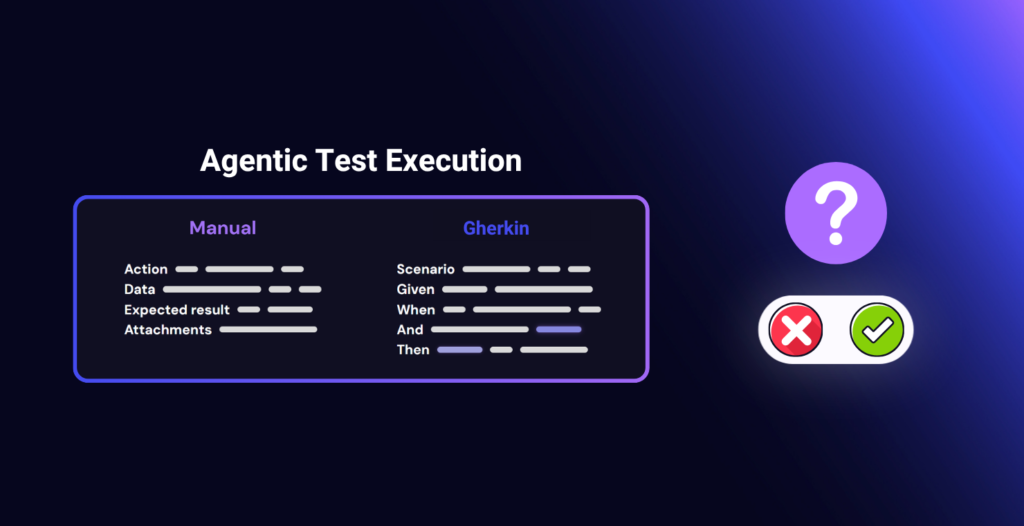
Agentic Execution of Manual and Gherkin Tests: Questions to Ask Before You Start
AI
Lynqa
Test execution remains a pain point for many QA teams. Manual test cycles take up a lot…
Read the article
Agentic Test Execution: What Security and Compliance Guarantees Should You Require?
AI
Tips
A test agent reads a scenario, logs in to an application, enters data, observes screens, and produces…
Read the article
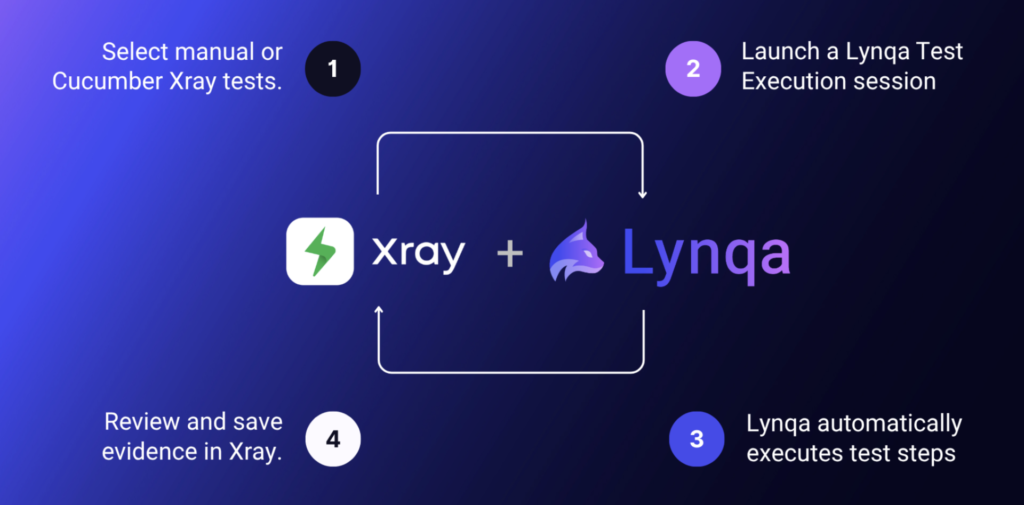
Agentic AI Test Execution inside Jira with Xray and Lynqa
AI
Lynqa
AI is transforming every stage of software testing, from requirement analysis to how teams design test cases,…
Read the article