



















AI Test Automation in Xray: Two Ways, Two Benefits, One Lifecycle
AI Lynqa

“AI for test automation” covers several very different things. In the Jira/Xray ecosystem specifically, two approaches are now production-ready, and each delivers a distinct benefit to the QA team:
- Agentic AI test execution: automatically executing manual tests and Gherkin scenarios on the user interface, much like a QA tester would, and providing accurate and detailed reporting.
- AI-assisted test script generation: accelerating the work of automation engineers by generating scripts, in the framework of their choice, from a validated test case.
QA teams often ask which of the two they should adopt. In my experience, that framing misses the point. The two approaches are not in competition. They serve different users, and they apply at different points in the test life cycle. Understanding how they fit together is what enables a QA team to derive real value from AI in its Xray workflow.
This article describes the two approaches, shows where each fits within a realistic development cycle, and offers practical recommendations for applying them effectively.
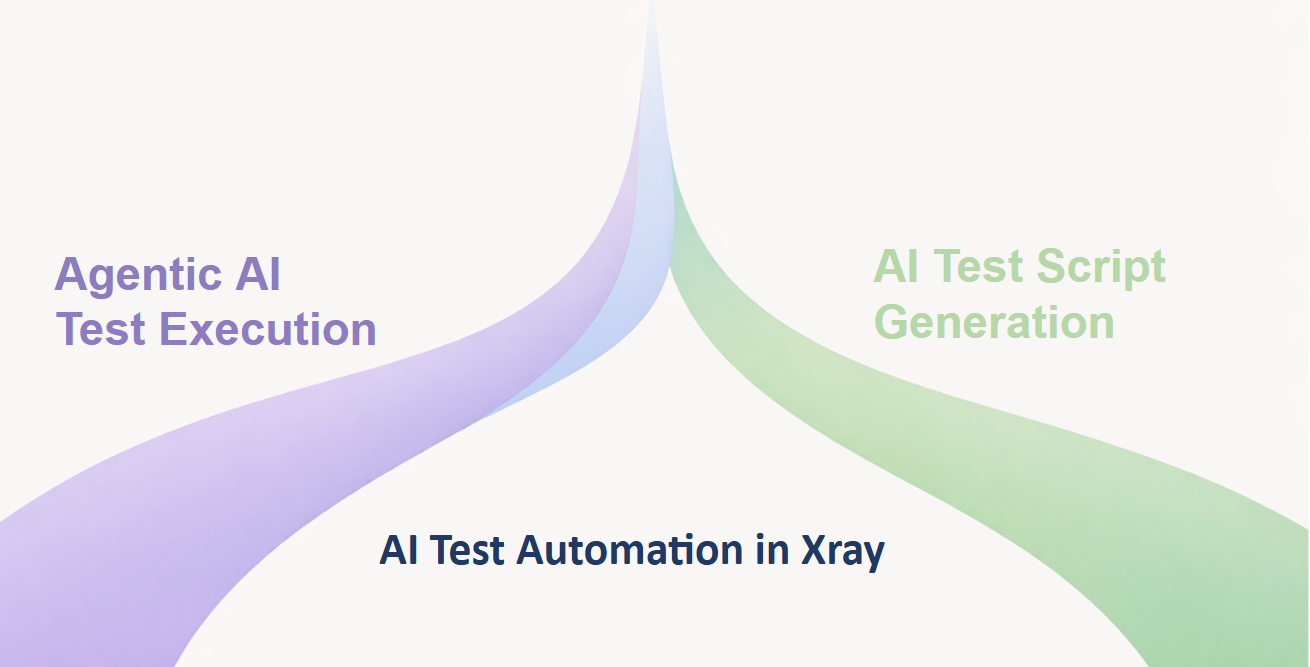
The Two Approaches to AI Test Automation
Agentic AI Test Execution with Lynqa for Xray
No scripts – No locators – No code.
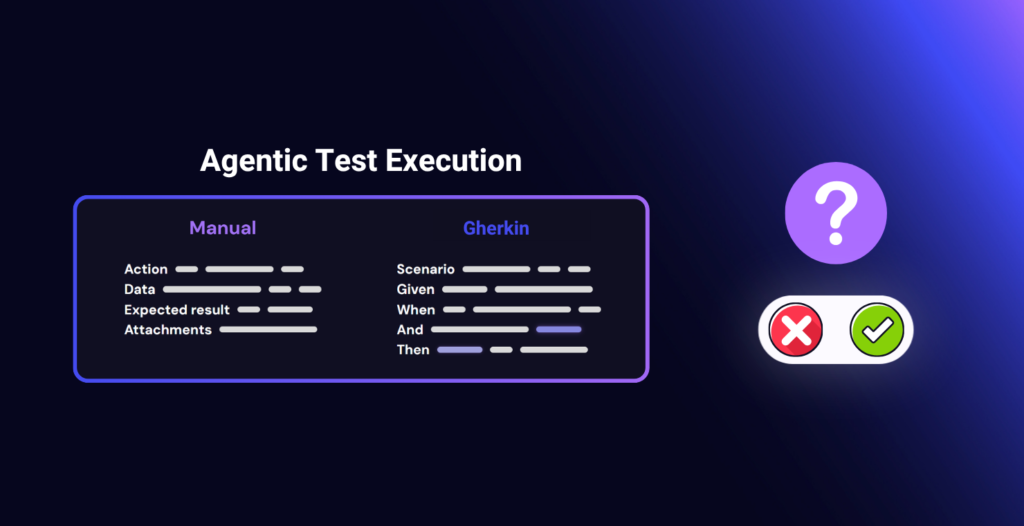
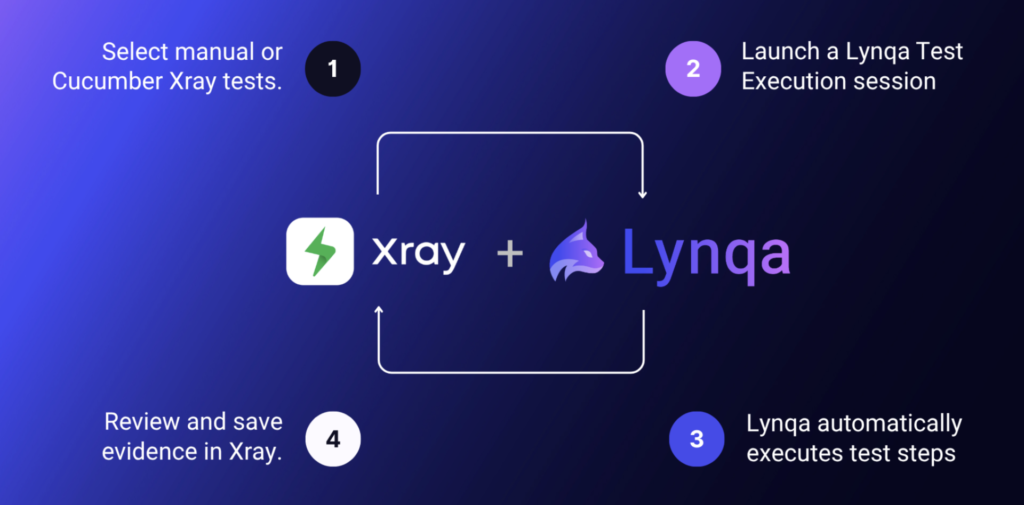
The QA engineer writes the test in Xray as they normally would: as a manual test case in natural language or as a Gherkin scenario. Lynqa then executes that test against the live application. The agent reads what appears on the screen, interprets the intent of each step, interacts with the UI as a human tester would, and verifies the expected result. The output is a test execution result in Xray, with a step-by-step log, screenshots, and a verdict for each step. > Learn more about Lynqa for Xray
Primary users are functional QA engineers and test analysts: the people who design and own the test cases. Until now, those users had two options for executing their tests. They could wait for an automation engineer to script them or run them manually. Agentic execution gives them a third option, and an important one: run their own Xray tests automatically, without writing code.
AI-Assisted Test Script Generation in Xray
The second approach is code-oriented. Xray’s AI Test Script Generation, available in Xray Advanced and Xray Enterprise, turns a test case in Xray into an actual script in a framework of your choice, such as Selenium or Playwright, with language options including Java and Python. The automation engineer describes the automation they want, the AI produces the code, and the engineer can iterate on the output up to five times before publishing.
Structurally, this is still scripted automation. The output is code that must be reviewed, integrated into a repository, maintained as the application evolves, and executed in a CI/CD pipeline. What AI changes is the effort of writing the first version and maintaining it later. The primary users are automation engineers working in the part of the cycle where code-based regression is the right choice.
What Makes Them Fundamentally Different
Both approaches use AI, but they solve different problems. Agentic execution makes a functional test or Gherkin scenario executable without turning it into code. Script generation produces code from a validated test case or Gherkin scenario.
This difference is not only technical. It affects who can use the solution, how quickly a team can adopt it, and how much maintenance effort it requires over time.
| Agentic AI execution (Lynqa for Xray) | AI-assisted scripting (Xray AI Test Script Generation) | |
|---|---|---|
| Input | Manual test case or Gherkin scenario, unchanged | Test case, plus framework and language choice |
| Output | Execution run with reporting and screenshots, synced to Xray | Code in Selenium, Playwright, and Cypress |
| Primary user | Functional QA, test analyst | Automation engineer |
| Maintenance burden | None. The agent acts on the application under test | Selector upkeep, code review, refactoring |
| Resilience to UI change | High (visual, semantic reading of the UI) | Low without additional self-healing tooling |
| Best fit in the lifecycle | In-sprint, evolving UI | Stable regression, CI/CD |
| Setup cost | Install Lynqa, point it at the application | Framework, repository, pipeline, CI runners |
Key insight: the boundary between the two approaches is less about the kind of test than about where that test sits in the lifecycle. A test that changes frequently because the feature or UI is still evolving is usually better served by AI agentic execution. A test that has stabilized, is reused systematically, and needs to run at every build fits AI-assisted scripting better.
In Practice: An efficient process in Xray
The two approaches fit together naturally across the development of a feature. The sequence below walks through one such cycle, from the in-sprint stage where the workflow is still evolving to the point where it has stabilized enough to earn a place in the regression suite.
Phase 0: Starting with Manual Test Cases or Gherkin Scenarios
During the sprint, QA testers write test cases and update certain tests in Xray to reflect changes in the code. They may be manual test cases written in natural language or Gherkin scenarios. The practice varies by team. This is the normal output of in-sprint test design work, and it is the starting point we are interested in.
From here, the goal is to run these tests against the live build as quickly as possible, without waiting for a scripting phase.
Phase 1: In-sprint Execution with Lynqa for Xray
During the sprint, the feature is still moving. Labels change. Page elements get repositioned. The workflow is adjusted based on product feedback.
This is where Lynqa provides immediate value. Rather than waiting for scripts, the functional QA team runs the Xray tests directly and automatically with Lynqa. Three consequences are worth underlining.
First, the same manual test runs automatically as it is. There is no separate “automated version” to maintain alongside the manual one, which is a frequent source of duplication and drift in real teams.
Second, Lynqa reads the screen both visually and semantically rather than relying on selectors. A moved button or a renamed label does not break the run. During in-sprint work, when the UI is at its most volatile, this matters a great deal.
Third, the execution produces evidence that is genuinely reviewable: screenshots, step verdicts, and a trace of the agent’s actions, all synced back to the Xray execution. For a sprint review, it is closer to a manual test report than to a CI log, which better fits how product owners and stakeholders actually work.
Beyond the sprint itself, this pattern gives QA testers something they often lack: ownership of automated execution. They do not need an automation engineer to run the tests they have designed, and they can iterate on test quality based on real evidence rather than on code behavior. The suite can also be parallelized, which matters once there are enough in-sprint scenarios to make sequential runs a bottleneck.
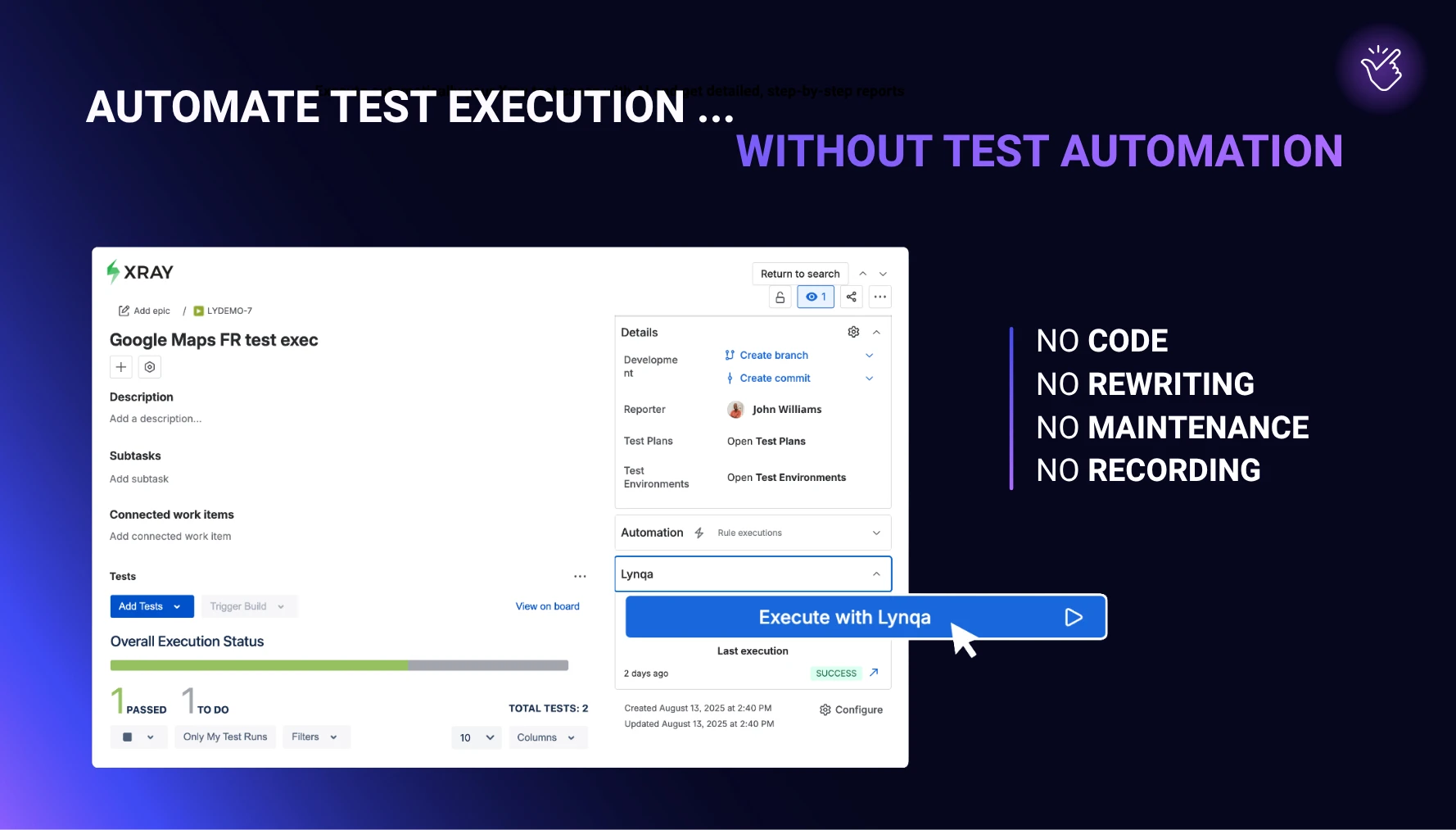
Legend: The interface for launching automated agent-based AI execution with Lynqa in an Xray “test exec”
Phase 2: Curate the Regression Scope
After a few sprints, the feature stabilizes. The team now has something valuable: scenarios that have been exercised repeatedly under realistic conditions, with the test text refined along the way. This is a good moment to think about the regression suite.
Not every scenario that proved useful in-sprint deserves a place in the long-term regression suite. Curation is easy to skip, and skipping it has real consequences. Regression suites grow quickly if no one is deliberately selecting what belongs in them. Maintenance costs compound, and the signal-to-noise ratio drops as coverage becomes nominal rather than meaningful. The scenarios that earn their place in regression are typically stable, business-critical, often reused, and worth running on every build. Everything else can safely remain in the in-sprint set, where Lynqa handles it.
In my view, this editorial judgment is the pivot between the two AI test automation approaches. It is a QA decision, not a tooling decision, and it is what makes AI-assisted scripting genuinely useful rather than expensive.
Phase 3: Script the Stable Scenarios with Xray AI Test Script Generation
Once the regression scope has been agreed upon, the automation engineer opens the Generate Automated Test modal from the test work item in Xray. They select a framework (for example, Selenium or Playwright) and a language (Java, TypeScript, and others), optionally attach linked work items and supporting files for additional context, describe the automation they want, and iterate on the output up to five times. The result can be downloaded as a ZIP of generated scripts or published as a new version of the test in Xray, which retains the link back to the source requirement and the original Xray test.
Once integrated into the team’s framework and pipeline, these scripts run at every build. The QA team no longer has to manually execute those scenarios in regression cycles, and the manual and Lynqa-driven effort can focus on new features, exploratory testing, and the tests that are still evolving.
Applied earlier, AI-assisted scripting tends to produce code for scenarios that are still changing, creating a maintenance burden. Applied here, it produces scripts for scenarios that have earned their place in a long-term suite. That is the stage where the approach pays off.
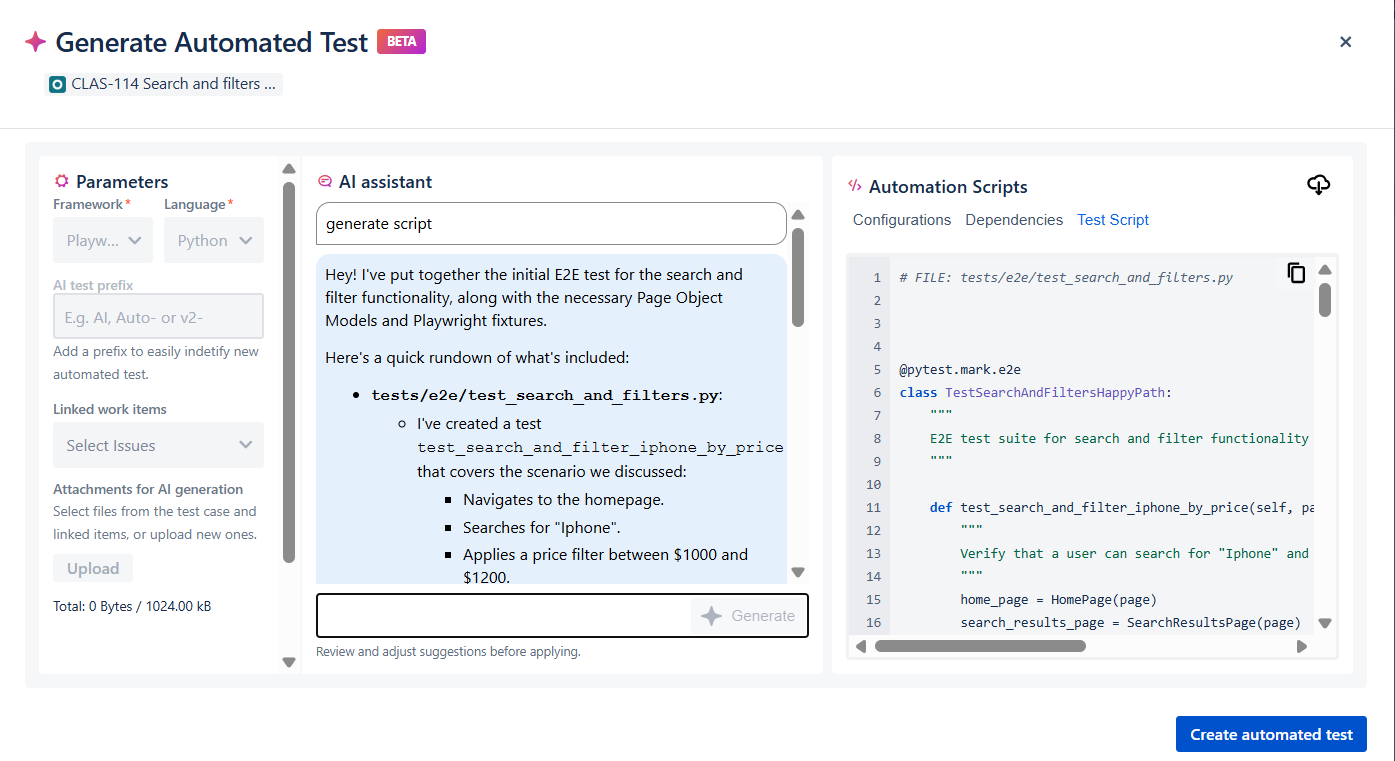
Legend: The interface for launching Xray’s AI-powered script generation
Common Pitfalls to Avoid
The two approaches call for two different kinds of craftsmanship. One common mistake I see in teams adopting them is applying the same mental model to both. Here are four common pitfalls to avoid.
Scripting too early, while the feature is still moving
Generating code-based automation before the UI and workflow have settled creates maintenance work that the next sprint will often invalidate. In-sprint validation belongs to agentic execution. Scripted automation is worth the investment once the scenario has held up across several runs.
Writing vague test steps and expecting AI to fill the gaps
An ambiguous step produces ambiguous behavior, both during execution and in generated code. Neither Lynqa nor a code generator can compensate for an unclear source test. The discipline has to start upstream. What “clear” actually means in practice, for both manual test cases and Gherkin scenarios, is the subject of a follow-up article.
Treating every in-sprint test as a regression candidate
Regression suites grow faster than they deserve to if no one curates them. Applying AI-assisted script generation indiscriminately produces bloat: large, slow suites where the signal-to-noise ratio keeps dropping. Curation is the safeguard.
Splitting functional QA and automation engineering too rigidly
The workflow that performs best treats these two roles as a continuum. Functional QA matures tests early with Lynqa. Automation engineers industrialize the subset that earns its place in regression. Siloing the two forces the handoffs that AI was supposed to remove.
Choosing the Right Approach
A short diagnostic to help place your team.
- Which tests get updated most frequently? Those are natural candidates for agentic execution with Lynqa.
- Which features are stable and need systematic regression at every build? Those are candidates for AI-assisted scripting.
- Does the team have dedicated automation engineers with the bandwidth to maintain scripts? If not, Lynqa may cover most of your execution needs on its own.
- Are you testing against a third-party SaaS, a legacy UI, or any application where selectors are fragile? Lynqa sidesteps that class of failure.
What This Means for Your Team
For functional QA engineers and test analysts, an AI execution agent like Lynqa turns the manual test suite into a directly executable asset. They can run their own Xray test cases automatically without having to learn Playwright or maintain locators. Their test design work becomes executable as it is.
For automation engineers, AI-assisted script generation removes the most tedious part of the job: boilerplate, first drafts, and selector maintenance after every UI change. Less time on those, more time on test architecture, framework health, and the quality of the regression suite itself.
For QA leaders, the combination offers a more realistic path to automation than a pure code-first model: automate execution early with Lynqa, learn from the runs which scenarios genuinely matter, and then script only the subset that justifies industrialized regression.
Conclusion
Agentic AI test execution and AI-assisted scripting are two complementary approaches that support the lifecycle and automated execution of your tests.
Of the two, agentic execution is the one that touches the widest part of a QA team’s day-to-day work.
Lynqa for Xray runs existing manual and Gherkin tests directly on the live UI, with no scripts to write, no locator maintenance, and no test rewriting. The execution evidence flows back into Xray alongside the rest of the test assets, so the work stays in the team’s normal tools. When a scenario has matured enough to justify code-based regression, Xray’s AI Test Script Generation extends the same workflow into the framework of your choice.
Teams interested in trying this out will find Lynqa for Xray on the Atlassian Marketplace. For the scripting side, the Xray Academy course on AI Test Script Generation is a useful entry point. Used together, the two approaches cover the full test life cycle, from in-sprint execution to stable regression.
Get 10 free credits for a new account creation
Stay tuned!
Agentic Execution of Manual and Gherkin Tests: Questions to Ask Before You Start
AI Lynqa
Test execution remains a pain point for many QA teams. Manual test cycles take up a lot…
Read the article
Agentic Test Execution: What Security and Compliance Guarantees Should You Require?
AI Tips
A test agent reads a scenario, logs in to an application, enters data, observes screens, and produces…
Read the article
Agentic AI Test Execution inside Jira with Xray and Lynqa
AI Lynqa
AI is transforming every stage of software testing, from requirement analysis to how teams design test cases,…
Read the article