
















AI-assisted test design: workflows, rules and data in a single conversation
Boost your productivity with Yest and its built-in AI companion.
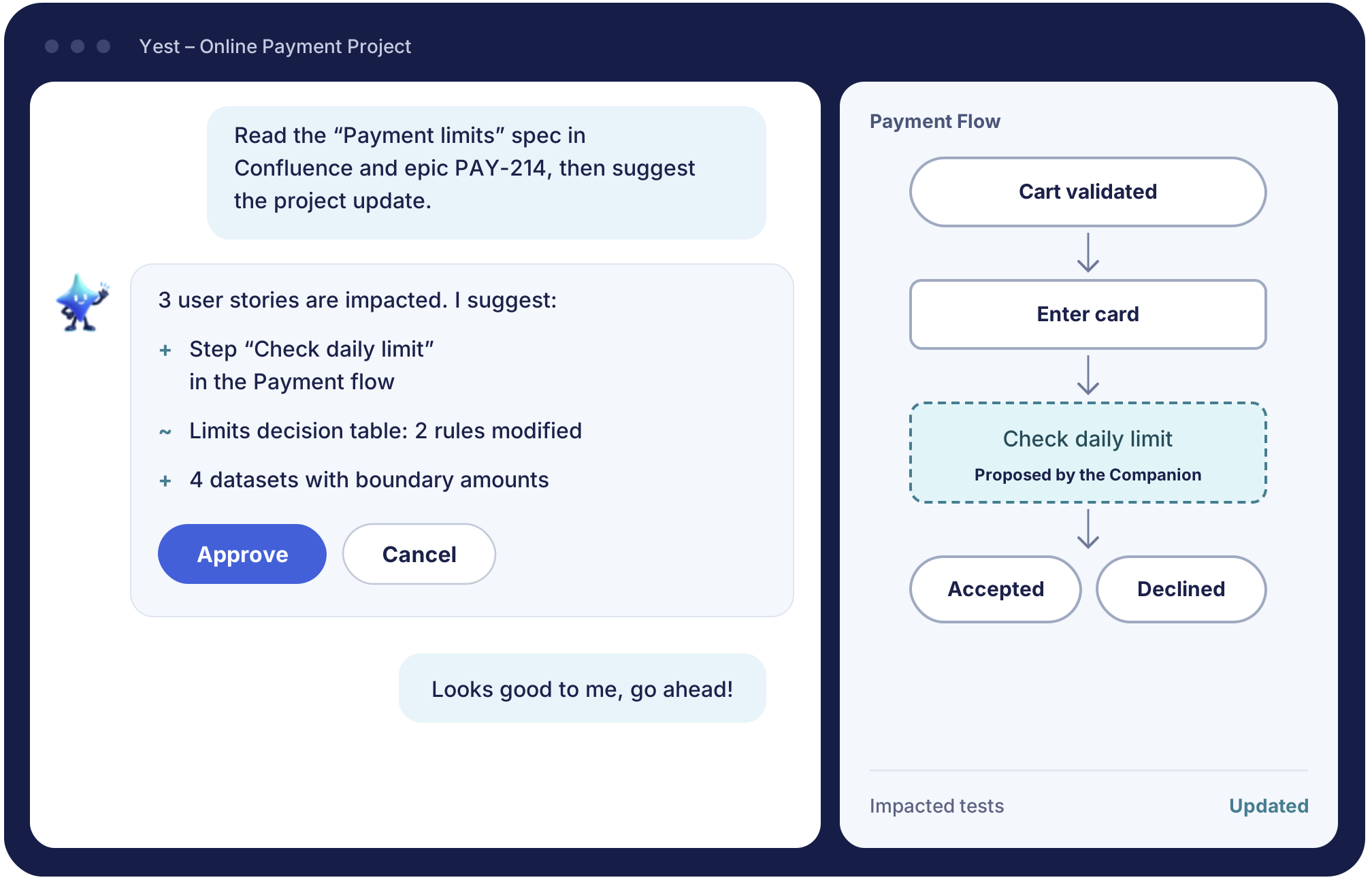
How does Yest Companion, the AI for test design, work?
With Yest, each component of a test is handled separately: the business workflow, the rules, the data, the test procedure and traceability. Automatic generation then ensures that everything fits together, based on a global, graphical view of the business. Yest Companion assists you at every one of these steps.
Draw the business workflow
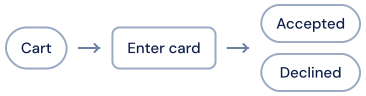

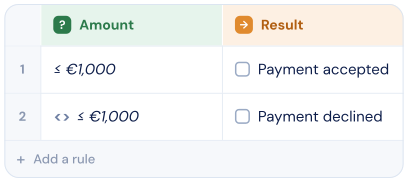
Formalize the business rules
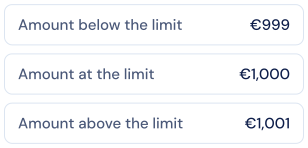
Define the test data
Describe the test procedure
Generate consistent tests

What are the benefits for your test teams?
With Yest Companion, designing test cases with Yest becomes even more productive.

Faster onboarding on Yest

Better-targeted test writing

Human review at every step
The fourth amigo

Which test projects is Yest Companion for?
Yest Companion meets the needs of three types of projects, where tests must be designed quickly, by people with diverse profiles, and maintained over time.
System, integration and regression testing...
IT department QA teams need to keep pace with agile sprints.
Contractors quickly get up to speed on Yest and on the product.
Validating user journeys
Graphically represent and validate the most important user journeys.
Focus on the business stakes: Yest Companion takes care of the rest.
Aligning project stakeholders
Align project stakeholders through user acceptance tests designed graphically in a shift-left approach.
Key users easily get involved in visual test design with Yest.
Convinced by the video? Move on to the demo
Why choose Yest Companion over a generic AI test generator?
With Yest and its Companion, you keep full control over your test production. Your tests are auditable: the logic behind how they are built is fully visible.
Frequently asked questions about Yest Companion
Have another question?

What is Yest Companion?
Yest Companion is the AI assistant built into Yest 5.0, Smartesting’s visual test design tool. Available from the Yest Assistant menu, it is driven through simple conversation: you can ask it to create or modify workflows and decision tables, create or use test data, or analyze and explain an element of your project. It takes the conversation history into account and asks you questions if your request is ambiguous.
How is it different from a tool that generates tests directly with AI?
A direct generation tool produces “flat” tests, often in large numbers, hard to review and non-deterministic. Yest Companion, by contrast, works on your visual test model: workflows, business rules and data. Its suggestions can be reviewed at a glance, and Yest then deterministically generates an optimized number of scenarios. You benefit from the speed of AI without losing the rigor or maintainability of your methodology.
Do I need a technical background to use Yest Companion?
No. Yest Companion works in natural language, with no code. It makes test design accessible to testers as well as business profiles and key users. Custom instructions also let you share your naming conventions, business context and design rules with it once and for all.
Does my data leave my network?
It’s up to you. Yest Companion works in two modes: with a local AI server hosted by your organization, your data stays within your network; with the Smartesting AI server, accessed with a key provided by Smartesting, you get a simplified setup with no infrastructure to manage.
Can the AI modify my tests without validation?
No. Yest Companion never modifies your project directly: every suggestion must be accepted before it is applied. You can also reject it, or request adjustments in a new message. The AI suggests, you decide.
Which tools does Yest Companion work with?
Through the Atlassian connection, Yest Companion uses your Jira tickets and consults your Confluence documentation. You can also attach a file (specification, meeting notes, etc.) to your request. Downstream, tests designed in Yest can be published to your test management tools such as Squash TM, Xray or Azure DevOps, and Yest integrates with your Git workflows on GitLab and Bitbucket.
See the Companion at work on your requirements
A personalized demo of Yest 5.0, on a case close to yours.